ML training workspace
The sleepypod training app is a local research workspace for sleep-stage models. The repository is public and anyone can clone it. The browser dashboard runs on your computer, alongside Python training with scikit-learn, NumPy, and SciPy.
Set up and train
You need a Mac or Linux computer on the same network as your pod, an Apple Watch that tracks sleep, and at least five nights of Watch sleep stages.
- Install the tools. With Homebrew :
brew install node@24 git jq. The guided script offers to install uv , which brings its own Python. - Clone the repository:
git clone https://github.com/sleepypod/training.git && cd training. - Find your pod’s address in the sleepypod iOS app under Settings.
- Export your Watch sleep data, unless the iOS app already syncs it to the pod: in the
iPhone Health app, tap your profile picture, then Export All Health Data, and AirDrop
export.zipto the computer. - Run the guided script:
scripts/quickstart.shIt checks Node.js and uv, installs the pinned dependencies, confirms it can reach the pod,
asks which side the Watch wearer sleeps on and where export.zip is, then trains. Pass
--pod, --side and --watch-export to skip the questions, or --dry-run to check
everything without training.
To run the steps yourself instead:
npm ci
uv sync --locked
uv run --locked python scripts/train.py --pod 192.168.1.88 --side left --dashboard --watch-export ~/Downloads/export.zip
The pipeline only reads from the pod, over its local HTTP API without authentication, and does not need MCP or SSH. Open the loopback URL it prints; progress updates as data arrives and models are fitted, and the dashboard stays open after training completes.
Explore a run
- Overview: pipeline progress, held-out scores, per-night results, and review checks.
- Nights: aligned Pod, candidate, baseline, and Watch sleep stages, disagreement navigation, and stage-duration comparisons.
- Data: label coverage, input distributions, and per-night summaries.
- Log: detailed events, configuration, failures, and the candidate download.
Technical terms have contextual explanations and a searchable glossary. Run history persists locally. Hypnograms show stage sequences; they do not establish validated sleep-cycle boundaries. Held-out predictions are distinguished from predictions on the final model’s own training data.
Training overview
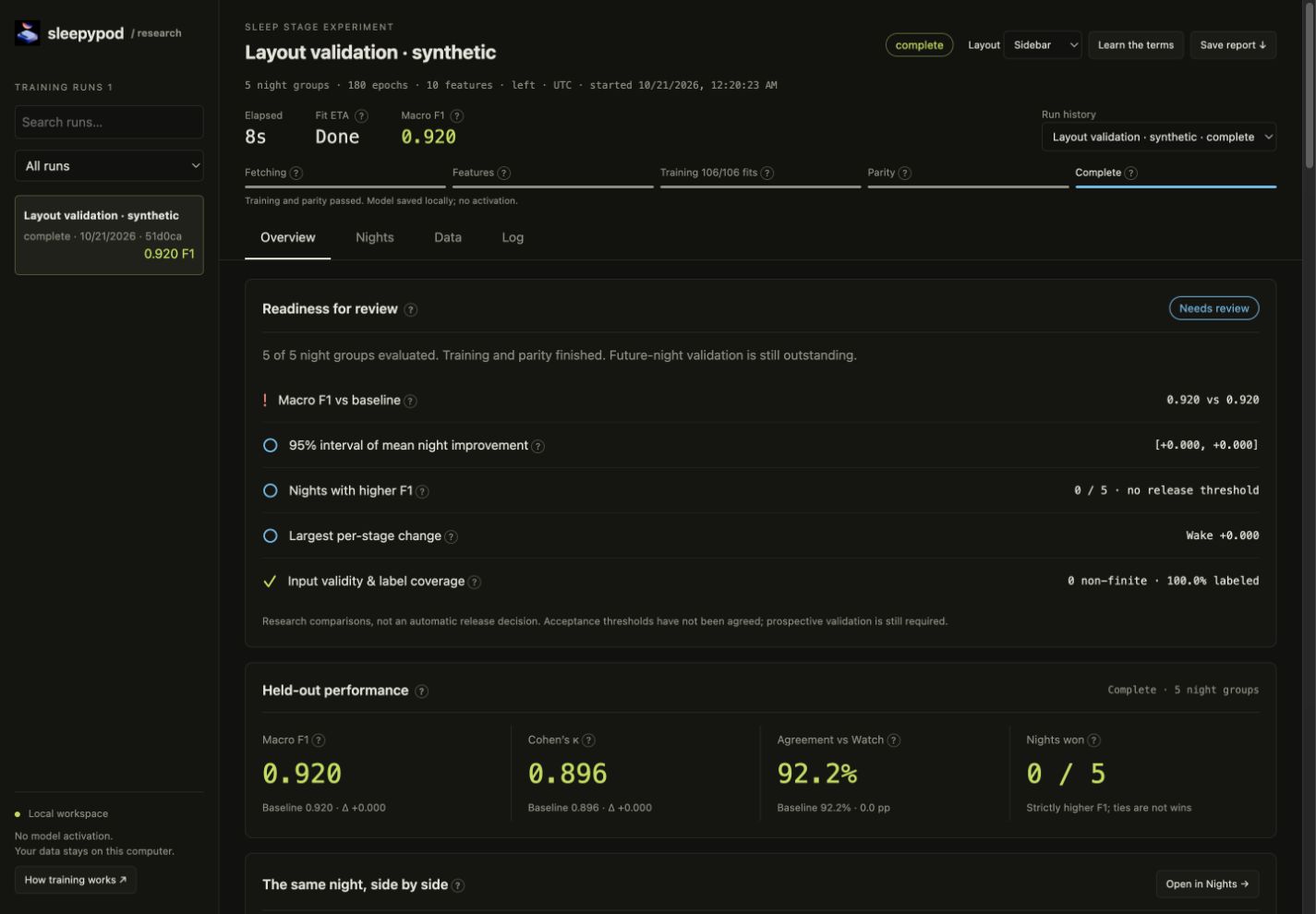
Compare the same night
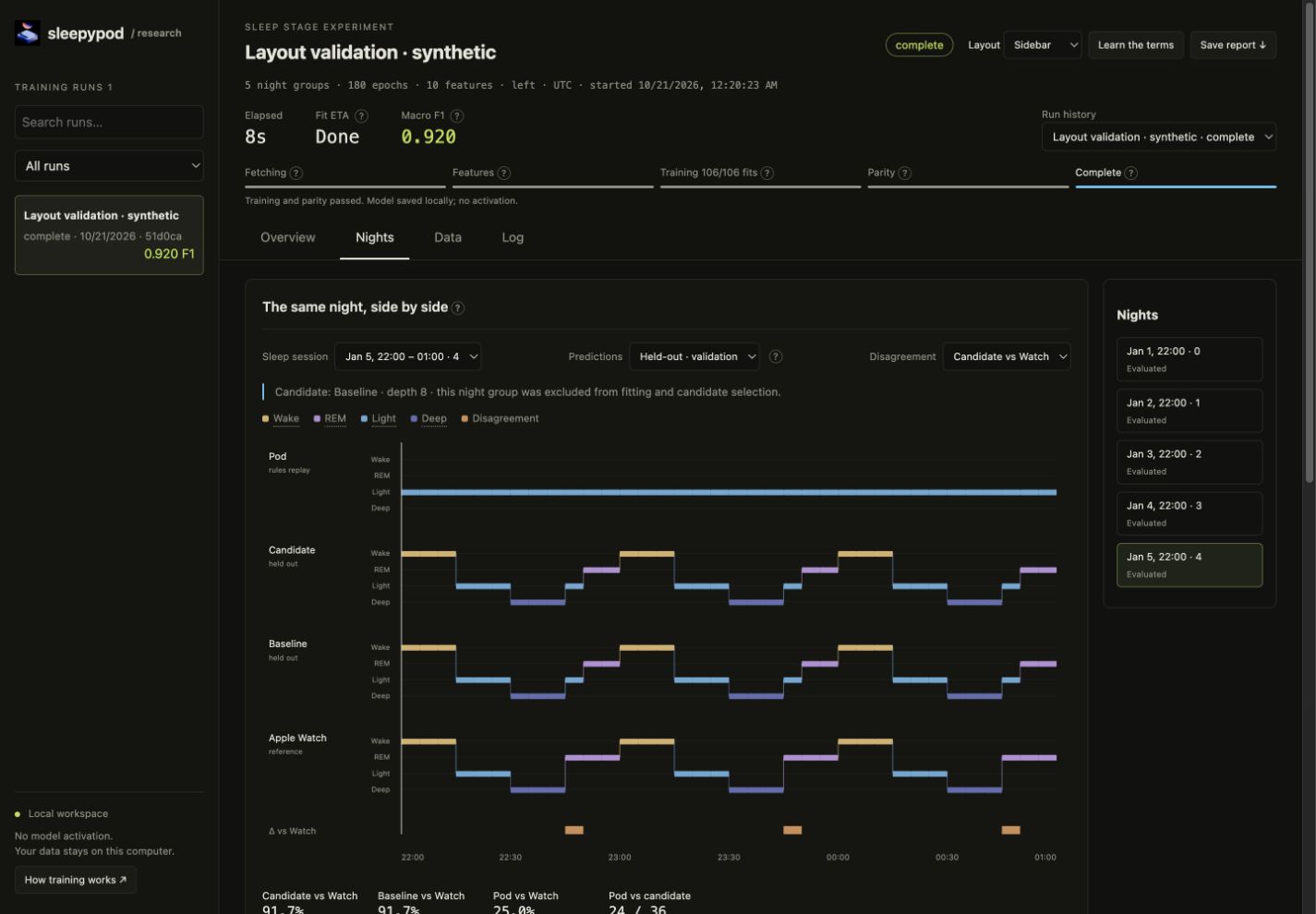
These unmodified captures contain only synthetic data. The training README also includes screenshots and setup instructions.
Reopen results and save models
uv run --locked python scripts/dashboard.py --port 8765Open http://127.0.0.1:8765 on the same computer. This starts the viewer without
retraining and discovers saved runs. Each run also saves an interactive offline
index.html report.
Training automatically writes model/candidate.json, the portable model, and
model/candidate.joblib, the fitted Python model. The Log tab can download the
candidate JSON. Keep the whole run folder to retain its scores and provenance.
Raw data and fitted artifacts stay in the ignored local data/ directory.
This research workflow does not upload or activate models. It uses retrospective whole-night features; its scores do not prove prospective or clinical validity.
Put a model on the pod
Uploading is a separate, deliberate step, one side at a time:
- Preview the candidate with
POST /api/sleep-stages/model/preview. The pod stages recent nights with it and compares them with the rules, without storing anything. Nights the model trained on score in-sample, higher than the report’s held-out numbers. - Add it to the side’s model library with
POST /api/sleep-stages/models. It is stored but not selected. - Select it with
PUT /api/sleep-stages/models/selected;"active": truemakes it stage that side’s nights. Switch back with the same call or the pod’s Settings.
The pod refuses models whose feature contract it does not know or whose embedded test vectors it does not reproduce. The training README has the exact commands. The core personal-model workflow trains and uploads in one step instead.
Source reference: Training README · Quickstart script · Training pipeline · Dashboard