Temperature and power
Choose the correct bed side before changing its temperature or power. The target is the requested temperature; the bed reading is measured state, so they often differ while heating or cooling.
Choose your controls
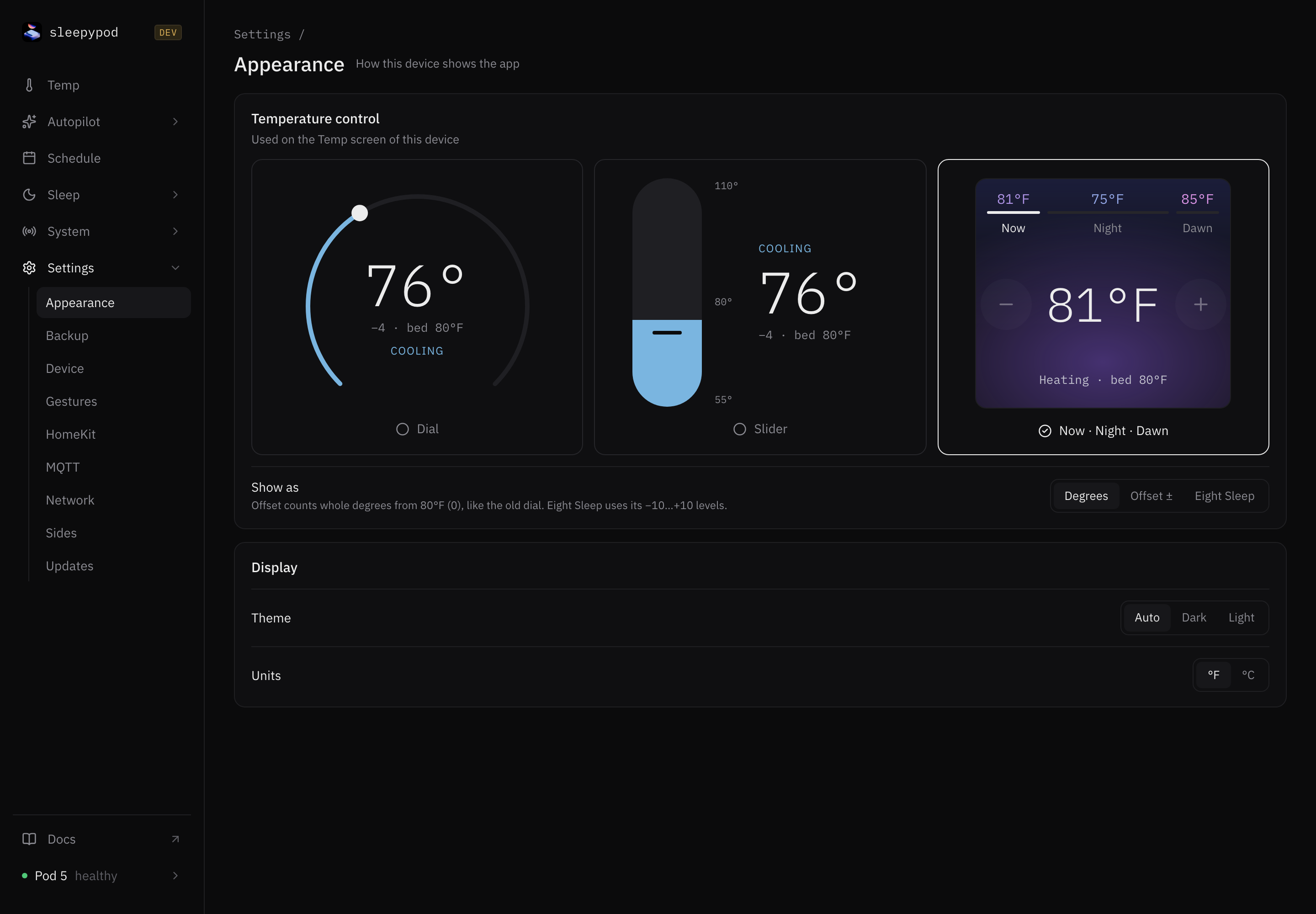
Select a style below to see the real interface. In the app, open Settings → Appearance → Temperature control and choose Dial, Slider, or Now · Night · Dawn. You can change it whenever you like. This is a browser preference; it does not change the other person’s view or your saved temperatures.
SAME BED. YOUR WAY.
Not one size fits all.
A dial, a slider, or a plan for the night. Choose the temperature controls that feel right to you.
Make it yours in Settings → Appearance. Your choice stays in this browser, so your phone and laptop can each feel different.
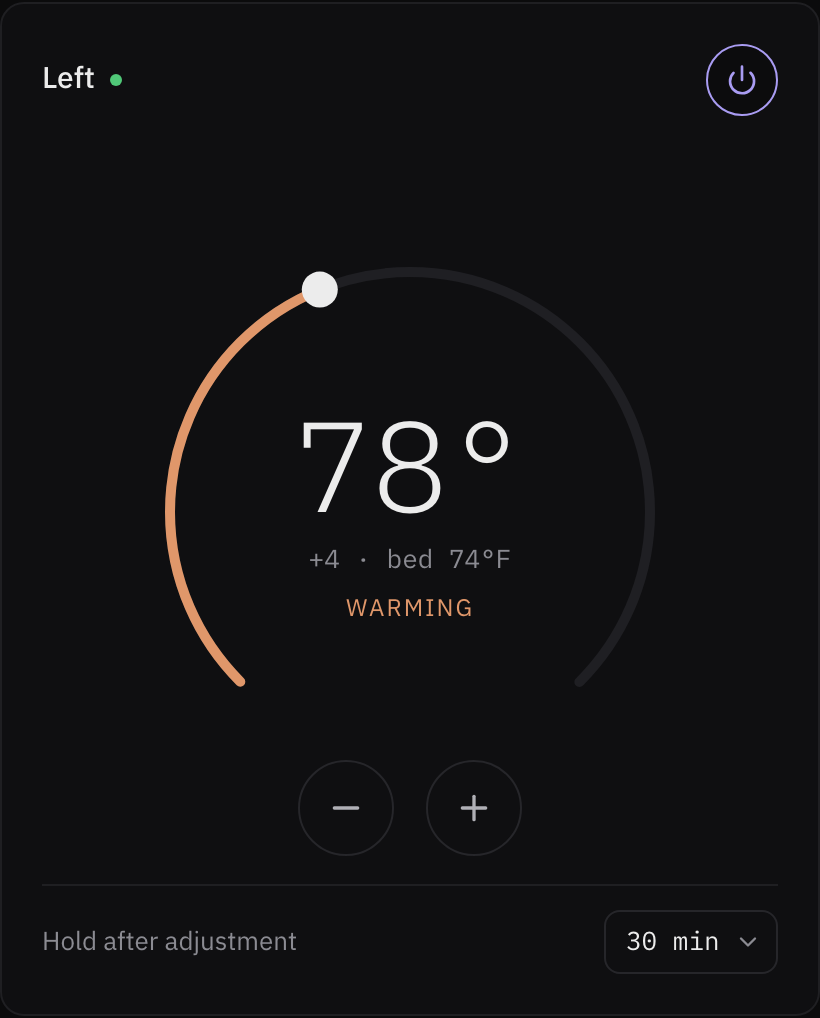
A familiar turn.
Sweep around the dial to find your temperature, or use the minus and plus buttons for a small adjustment.
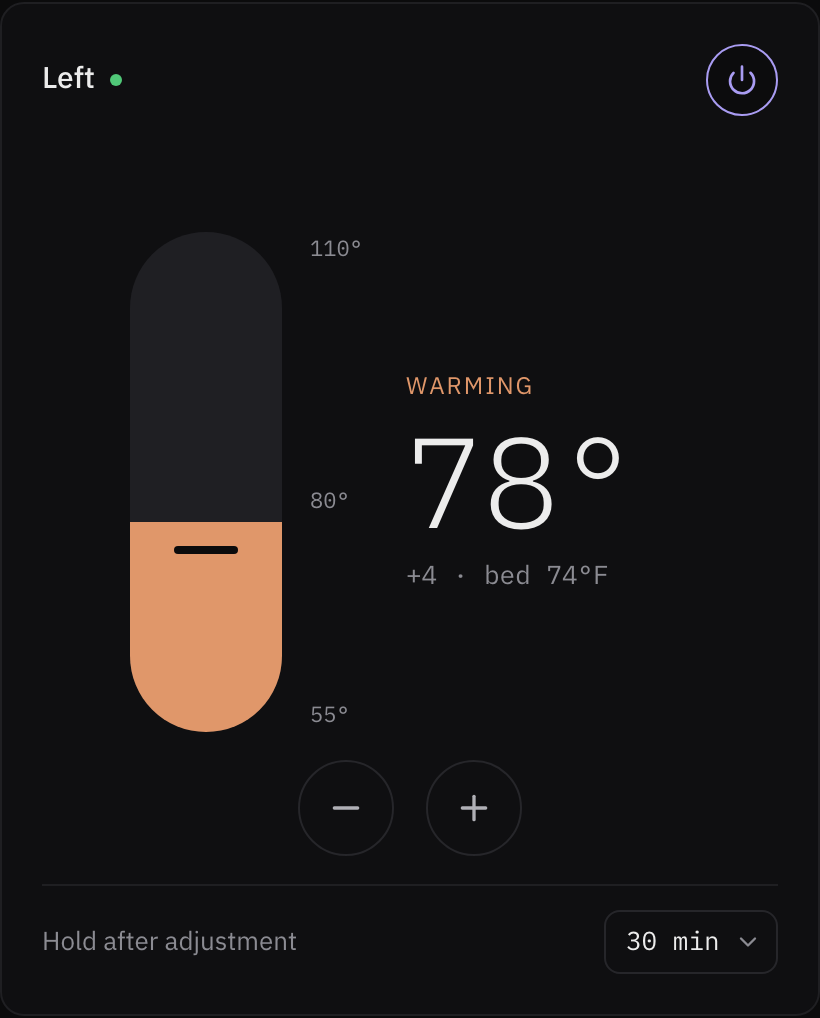
Slide into comfort.
Move up to warm things up or down to cool them off. Your temperature, on a simple vertical scale.
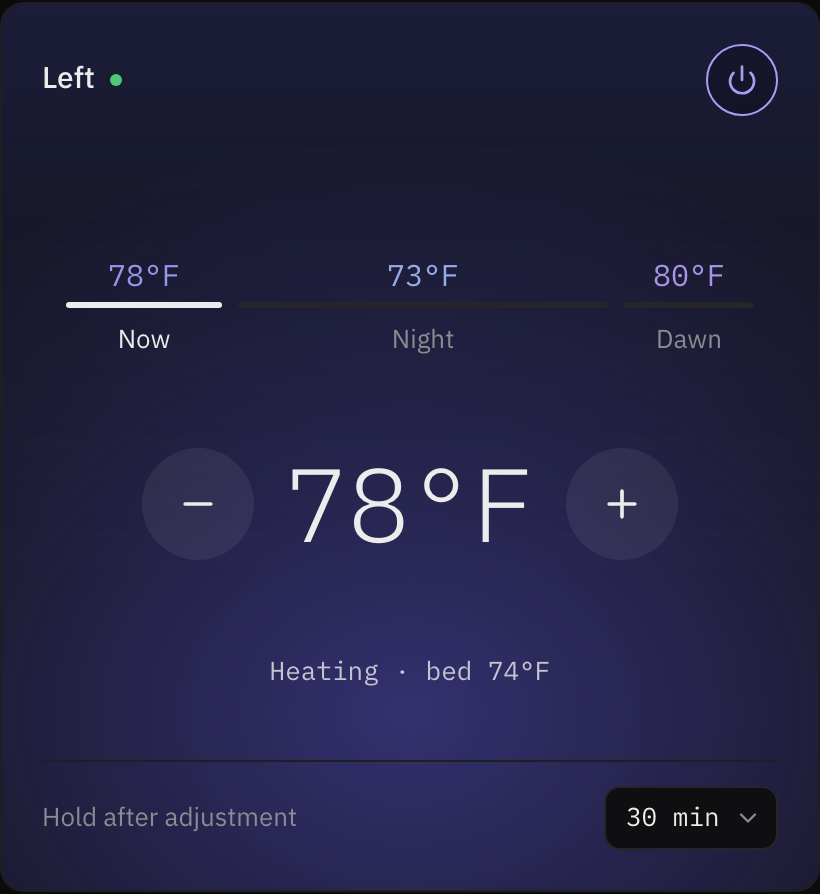
Think in moments.
Adjust Now for immediate comfort. Switch to Night or Dawn to shape the saved schedule for later.
Real app captures · Same example temperature · Choose a style above to preview it.
Now, Night, and Dawn
The stepper separates an immediate adjustment from a recurring schedule edit:
| Control | What changes | What to check |
|---|---|---|
| Now | The selected side’s current target, with a manual hold | The hold duration and power state |
| Night | The earlier setpoints in tonight’s saved temperature curve | The displayed days: all days with the same curve are edited |
| Dawn | The final portion of that curve | The phase time range and matching days |
Use minus or plus on Now for an immediate adjustment. Use Night or Dawn to shift that phase’s setpoints together while preserving the curve’s shape. The phase value summarizes its setpoints; it is not a separate hardware measurement. A one-point schedule has no Dawn phase.
If tonight has no schedule, Night and Dawn preview a balanced template. The first adjustment saves the template to nights without an existing schedule. Review the resulting days in Schedule. Existing scheduled nights are preserved.
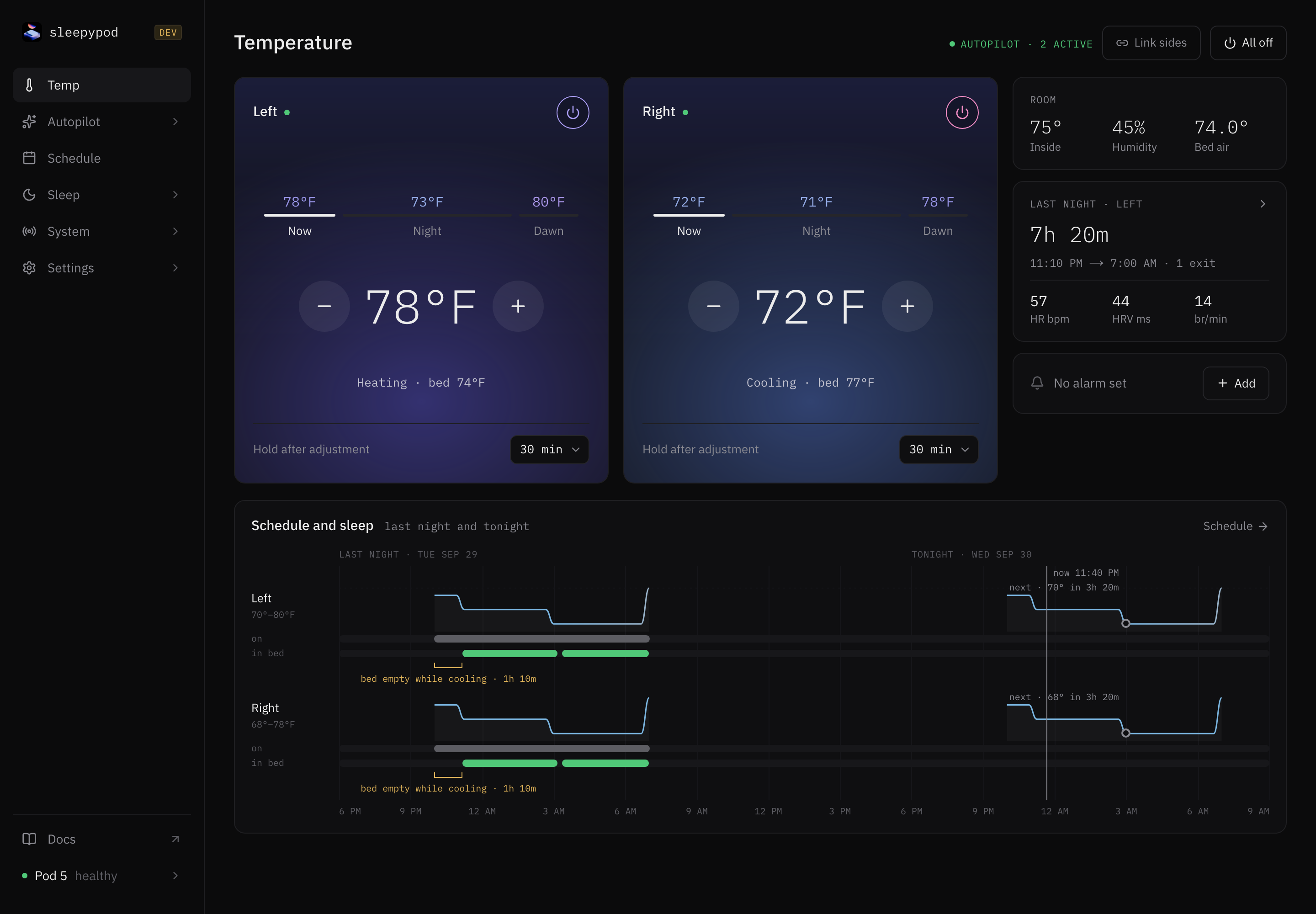
Manual holds and Resume
Hold after adjustment sets the duration for your next manual change. The default is 30 minutes. Each accepted adjustment restarts that side’s hold timer. The saved recurring schedule stays enabled and its clock continues advancing.
Select Resume to end a hold early. When a hold ends, core chooses the target applicable now; it does not replay missed schedule points. If no source has a target, the temperature remains unchanged.
Temperature ownership, from highest to lowest priority, is:
- Manual hold.
- Run-once session.
- Autopilot request.
- Recurring schedule.
Power-off and pump safety remain independent. A temperature schedule does not ordinarily switch a powered-off side back on. Explicit shutdown ends a manual hold; alarm vibration can still fire during one.
Display and power
Settings → Appearance selects the control style and temperature display. The stepper supports degrees, offset, and the −10…+10 level scale. A level step is approximately 2.75°F; API setpoints remain Fahrenheit. Display changes do not change the API’s units.
Use the selected side’s power control to turn it off. If it reports powered but the bed is not responding, check System → Thermal, water level, and pump diagnostics rather than repeatedly adjusting the target.
See schedules, Autopilot, and the temperature controller contract.
Source reference: Stepper and phase controls · Temperature ownership