Appearance
Settings → Appearance changes how this browser shows the app. It does not change anyone else’s view or any saved temperatures, except for Units, which applies to the whole Pod.
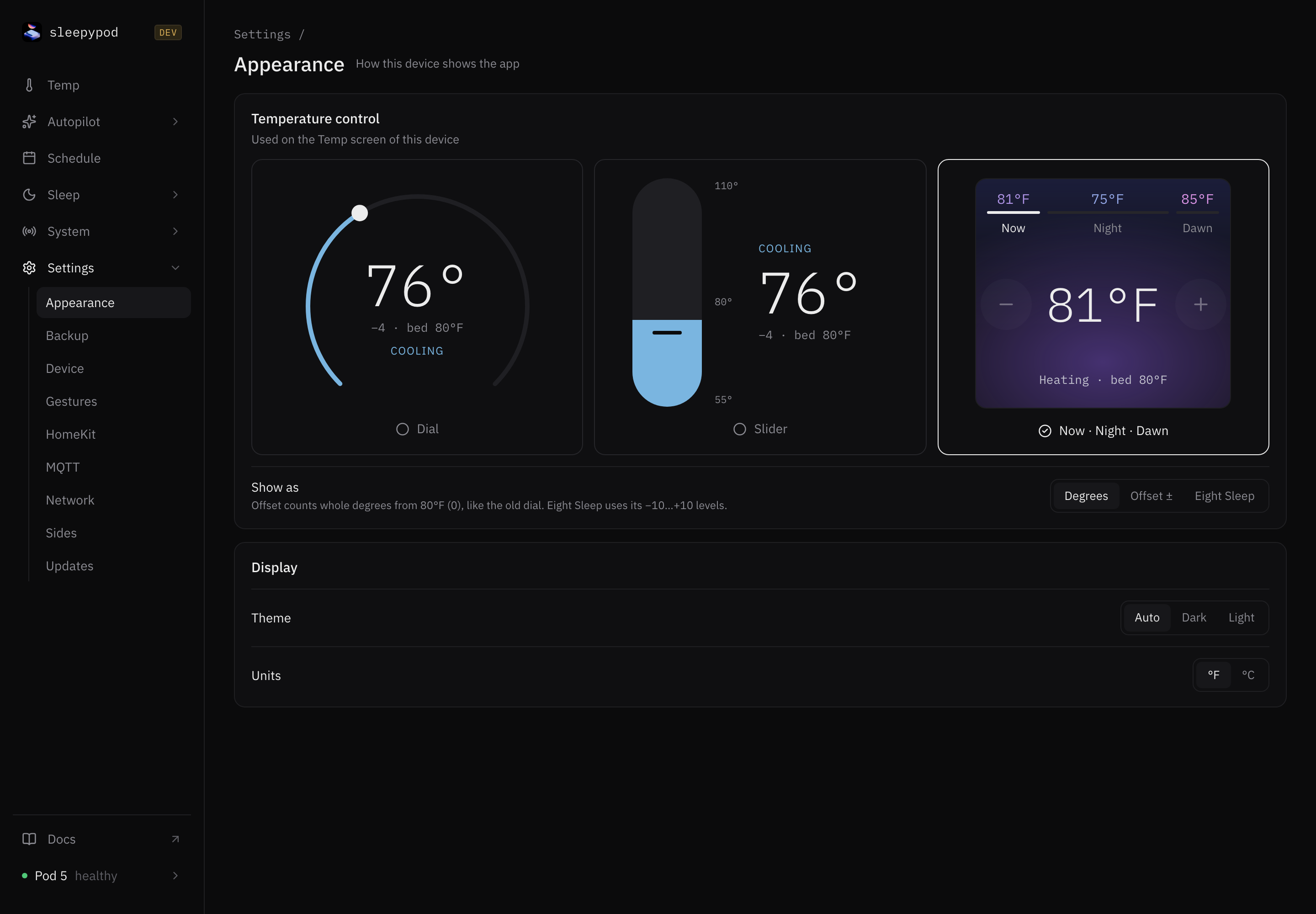
Temperature control
Choose how the Temp screen looks on this device. Each choice shows a live preview.
| Option | What you get |
|---|---|
| Dial (default) | A round dial you drag, with Cooler and Warmer buttons |
| Slider | A vertical slider, with Cooler and Warmer buttons |
| Now · Night · Dawn | A stepper that changes the temperature now, or tonight’s saved schedule |
See Temp to compare the three.
Show as
| Option | Example | Meaning |
|---|---|---|
| Degrees (default) | 74°F | The actual target temperature |
| Offset ± | −6 | Whole degrees away from 80°F, where 80°F shows as 0 |
| Eight Sleep | −2 | Eight Sleep’s −10 to +10 level scale; one level is about 2.75°F |
This only changes how numbers appear. Schedules and the API still store temperatures in Fahrenheit.
Display
- Theme: Auto (default) follows your device’s light or dark setting. Dark and Light override it.
- Units: °F (default) or °C. This changes the unit for the whole Pod, on every device. It is the same setting as Temperature unit in Device.
Temperature control, Show as, and Theme are saved in this browser only. If you clear your browser data or use another device, you will see the defaults again.
Source reference: Appearance settings
Last updated on