Base (experimental)
Base appears when a local base configuration exists, and in the hosted demo. This interface is experimental: it has been verified with simulated hardware only. In Core v3.2.1, both sides move together; independent left/right movement remains locked pending firmware confirmation.
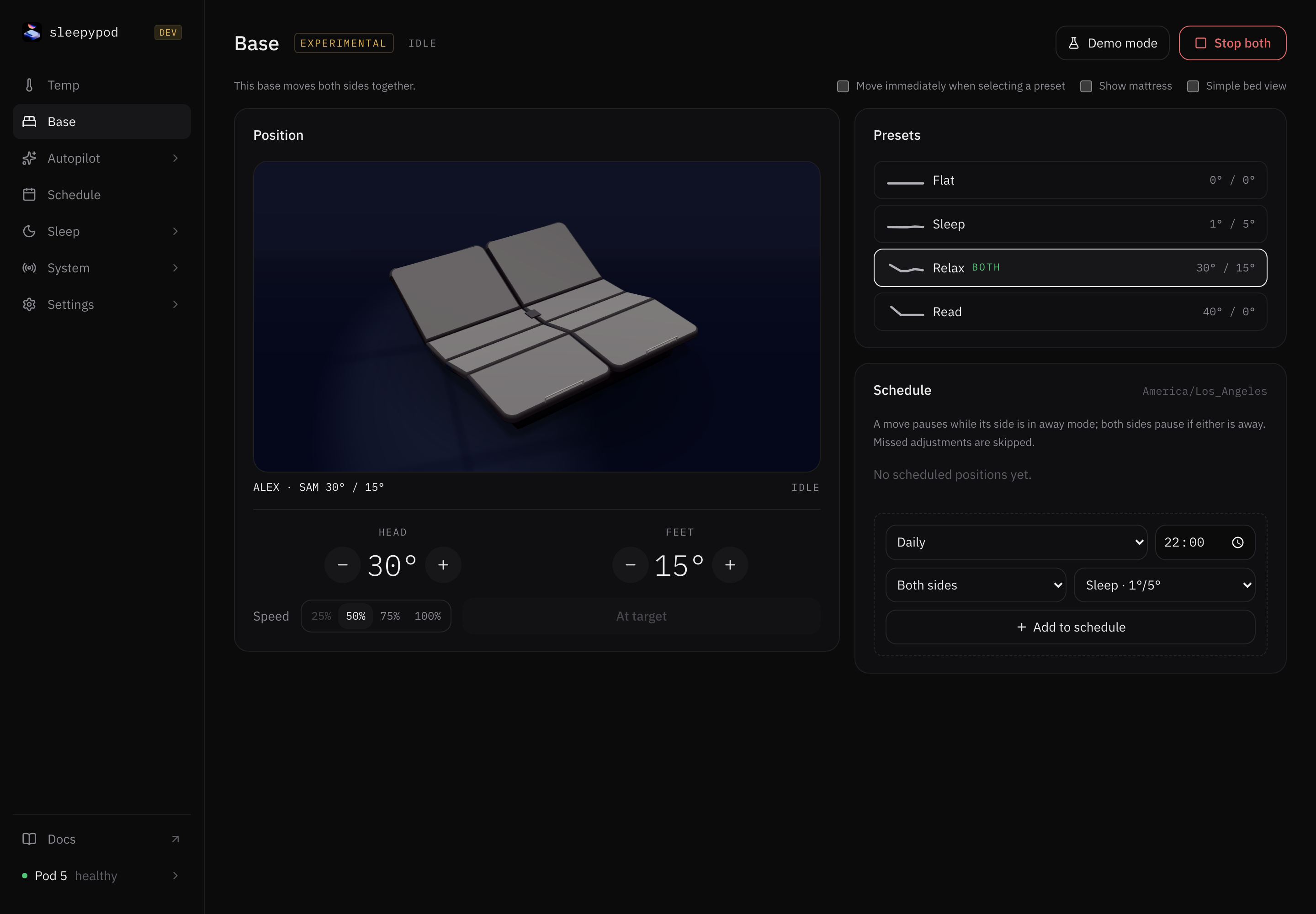
Choose a position
Select Flat, Sleep, Relax, or Read, or adjust head and feet with the − / + buttons. Head targets range from 0–60° and feet from 0–45°. Selecting a preset normally previews the target; press Move both to apply it. If you enable Move immediately when selecting a preset, preset selection sends the move immediately.
The 3D bed shows the reported pose and target. Show mattress changes its appearance. Select Simple bed view for the 2D view; it is also the fallback when 3D rendering is unavailable. Stop both stops movement on both sides.
| Preset | Head | Feet |
|---|---|---|
| Flat | 0° | 0° |
| Sleep | 1° | 5° |
| Relax | 30° | 15° |
| Read | 40° | 0° |
The speed picker offers 50%, 75%, and 100%; 25% is disabled because the supported command range starts at 30%.
Schedule a position
In the Base page’s schedule section, choose days, a time, and a preset, then add the schedule. Base schedules run in the Pod’s timezone and move the whole bed. Use the row’s switch to pause one, or its delete button to remove it. Scheduled movements pause while a selected side is away; for whole-bed moves, either side being away pauses both. Missed movements are skipped. These are separate from temperature curves and vibration alarms.
Connection and demo
A missing setup shows Not configured; complete setup in the stock app before reconnecting. An unavailable live position disables movement controls. Reconnect retries the connection.
Use Demo mode to explore simulated movement and schedules without sending commands to the physical base. A successful demo move does not prove compatibility with your base hardware.
Silent capture of the real interface and its built-in simulator. Both sides move together.
Source reference: Base page · Movement limits and presets · Base schedules