Device
Settings → Device holds settings for the whole Pod. Every control saves as soon as you change it, and a Saved message confirms it.
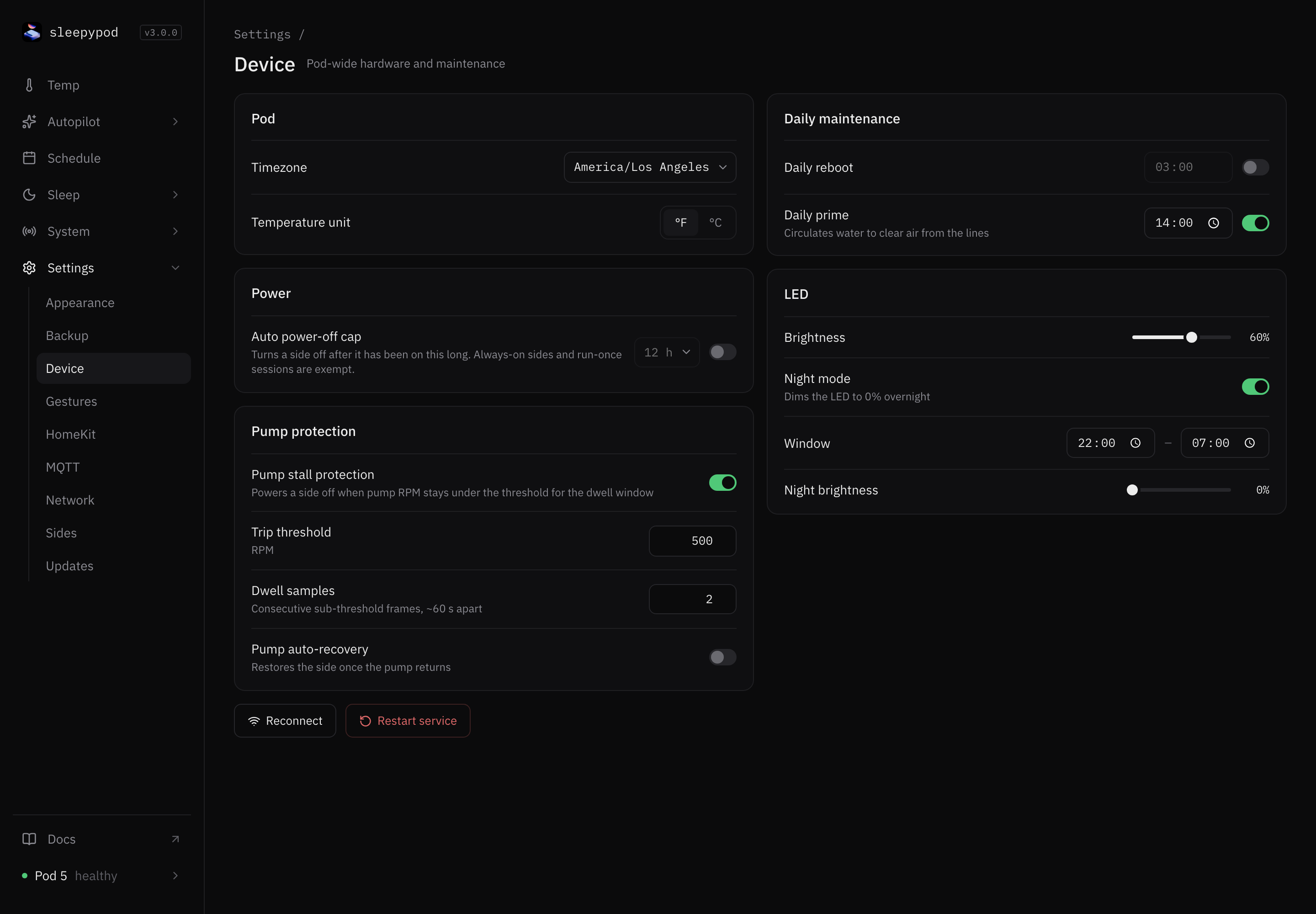
Pod
- Timezone. Schedules, alarms, and Autopilot time windows run in this timezone. If things happen at the wrong hour, check this first. The default is America/Los_Angeles.
- Temperature unit. °F or °C for the whole Pod. This is the same setting as Units in Appearance.
Power
Auto power-off cap turns a side off after it has been on for a set time. Turn on the switch and choose 1 to 48 hours; the default is 12 hours. Sides set to Always on in Sides, and run-once sessions, are not affected.
Pump protection
Pump stall protection turns a side off if its water pump slows down or stops, which protects the Pod when water is not flowing. It is off until you turn it on. While it is off, the System dashboard shows a reminder.
When it is on, you can adjust:
| Setting | Range | Default | Meaning |
|---|---|---|---|
| Trip threshold | 100–1500 RPM | 500 | Pump speed below which a reading counts as stalled |
| Dwell samples | 1–10 | 2 | Stalled readings in a row, about 60 seconds apart, before turning off |
| Pump auto-recovery | On/off | Off | Turn the side back on once the pump recovers |
| Recovery RPM | 500–3000 RPM | 1500 | Pump speed that counts as recovered |
| Recovery samples | 1–10 | 3 | Recovered readings in a row before turning the side back on |
Number fields save when you leave the field. Values outside the range are adjusted to the nearest allowed value.
When protection turns a side off, the Temp screen shows a banner. Re-enable turns the side back on at its previous temperature. Stall events also appear in Pump alerts on the System dashboard.
Reconnect and Restart service
- Reconnect reloads the page. Use it if the app stops updating.
- Restart service asks for confirmation, then makes the Pod briefly unavailable while Core restarts.
In Core v3.0, Restart service runs the updater for the main channel, the same as Check for updates in Updates. If you use the dev channel, it switches the Pod to main. Use it only when you are happy to update.
Daily maintenance
- Daily reboot. Restarts the Pod at the time you choose. Off by default; the default time is 03:00.
- Daily prime. Circulates water to clear air from the lines at the time you choose. Off by default; the default time is 14:00. Choose a time when nobody is in bed.
LED
- Brightness. 0–100% for the Pod’s light. It saves when you let go of the slider.
- Night mode. Dims the light during a time window. Choose the Window (22:00–07:00 by default) and the Night brightness (0% by default).
Source reference: Device settings form · Settings API · Update trigger