Thermal
System → Thermal shows whether the Pod is actually delivering the temperature you asked for. Use it when a side does not feel right. Nothing here changes the Pod.
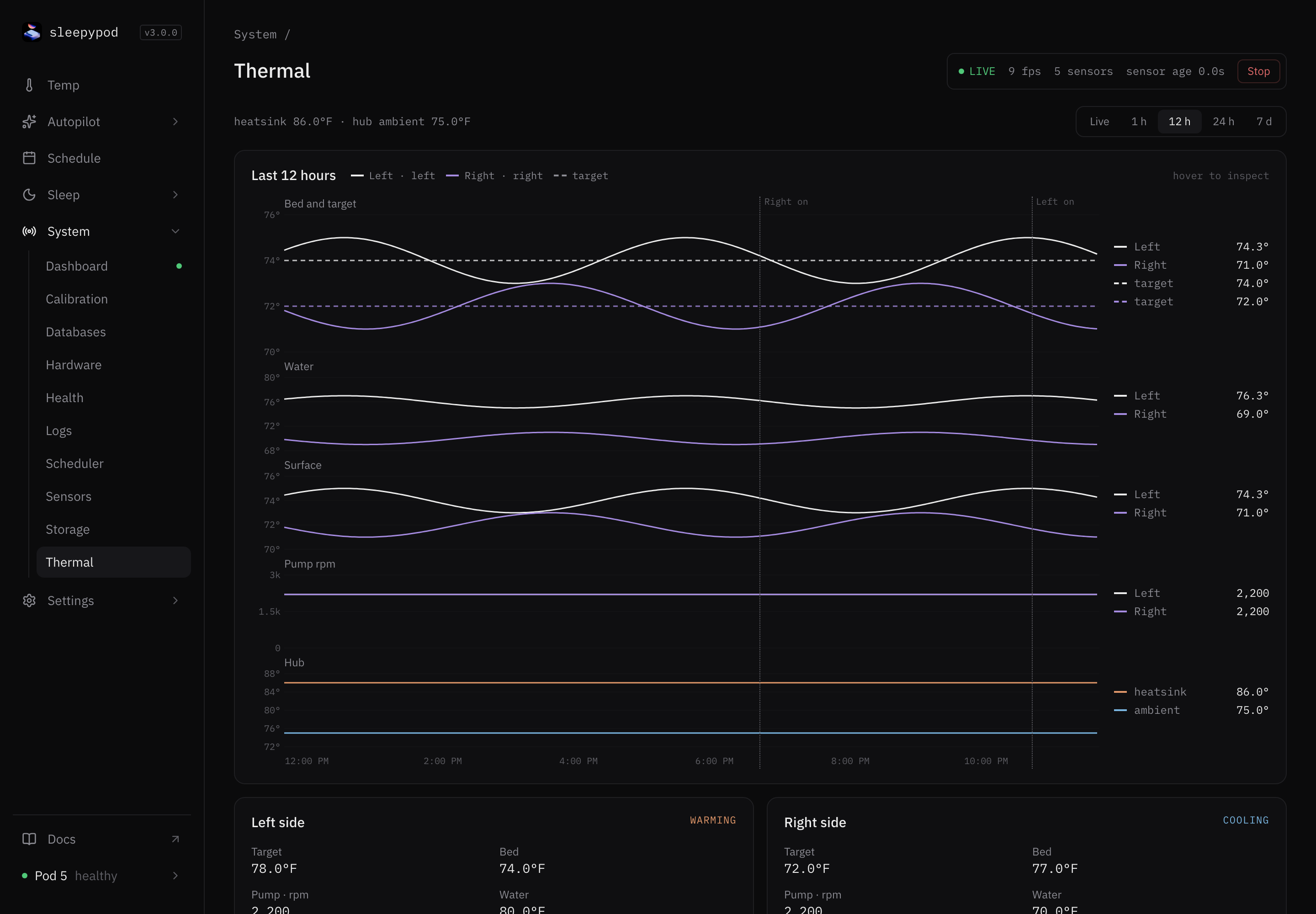
Read the charts
Choose a range: Live, 1 h, 12 h (default), 24 h, or 7 d. Hover to read exact values.
- Bed and target: the bed temperature for each side, with its target as a dashed line.
- Water: the water temperature leaving each side’s heat pump.
- Surface: the cover’s surface sensors.
- Pump rpm: how fast each side’s pump spins.
- Hub: heatsink and room temperature inside the Pod.
Marks show when a side was turned on. The line at the top shows the current heatsink and hub temperature.
Side cards
Each side shows Target, Bed, Pump · rpm, Water, Surface, and how fresh the flow reading is, with WARMING, COOLING, or HOLDING. Badges flag GUARD BLOCKED (pump protection turned the side off) and ALARM VIBRATING.
A side is not heating or cooling
- Check the target is what you expect, and the side is on.
- Compare Water with Bed. Water should be warmer than the bed when warming and cooler when cooling.
- Check Pump rpm. A pump near zero is not circulating. Missing pump data is not the same as zero; some firmware does not report it.
- Check the water level on the Dashboard, and Pump alerts.
If Pump-stall protection off is shown, consider turning it on in Device.
Source reference: Thermal chart · Thermal history
Last updated on