
01 / FOLLOW THE DATA
From your bed to your browser.
Your Pod’s sensors feed local processing. The results become the measurements and night records you can explore.
Follow the data flowLOCAL CONTROL. BETTER NIGHTS.
Make your Pod feel like yours. Control it from your browser, your phone, an AI agent over MCP, or your home automation through MQTT and Apple HomeKit. Core is modular, so a new client or integration slots in without touching the rest. Your sleep data stays at home.
Open source · Pod 3, 4 & 5 · Built for your local network
IN YOUR BROWSER. ON YOUR NETWORK.
Set each side’s temperature, see last night alongside tonight’s schedule, and keep an eye on your Pod—all in the Core web app.
Explore the web app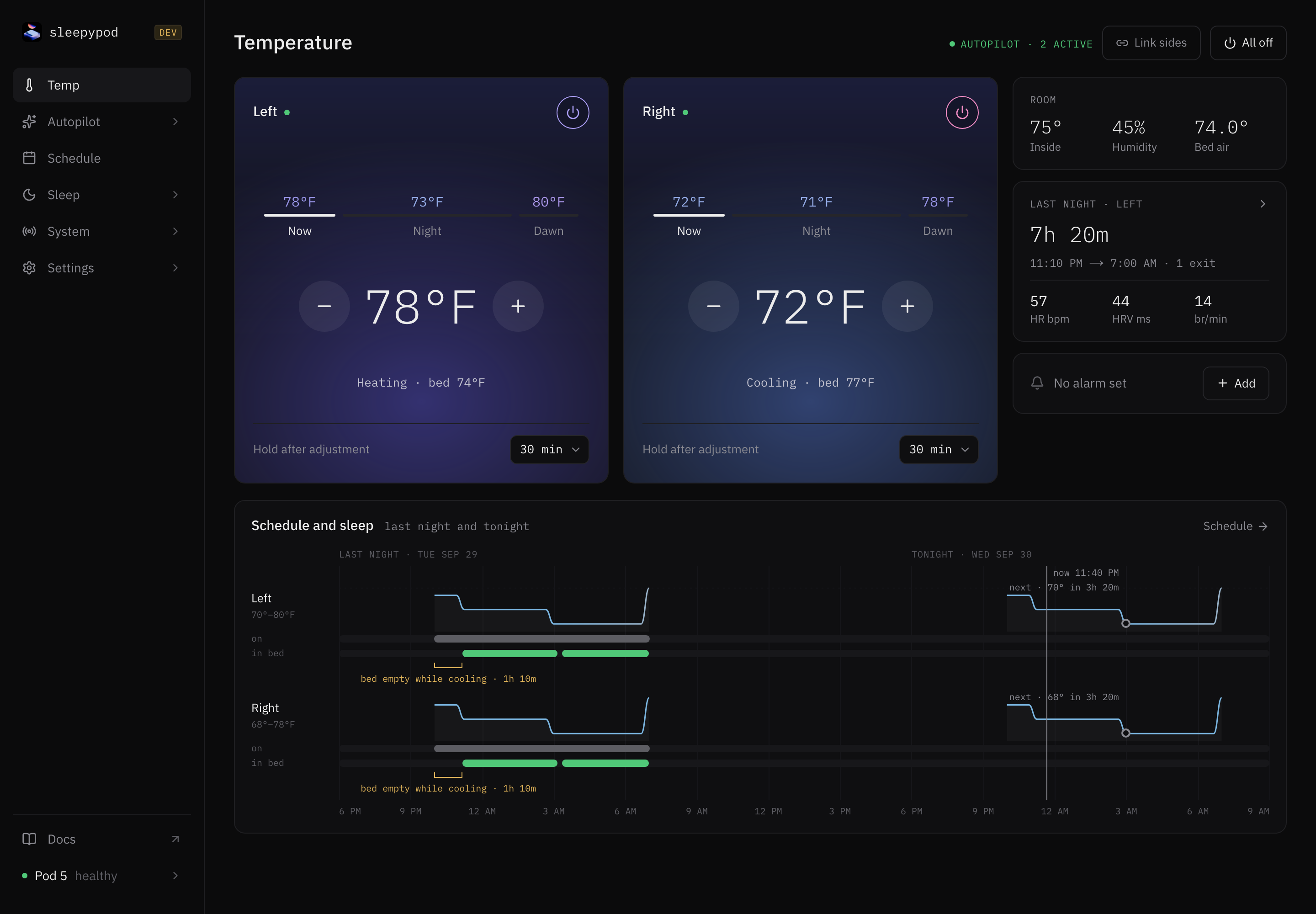
SAME BED. YOUR WAY.
A dial, a slider, or a plan for the night. Choose the temperature controls that feel right to you.
Make it yours in Settings → Appearance. Your choice stays in this browser, so your phone and laptop can each feel different.
Find your controls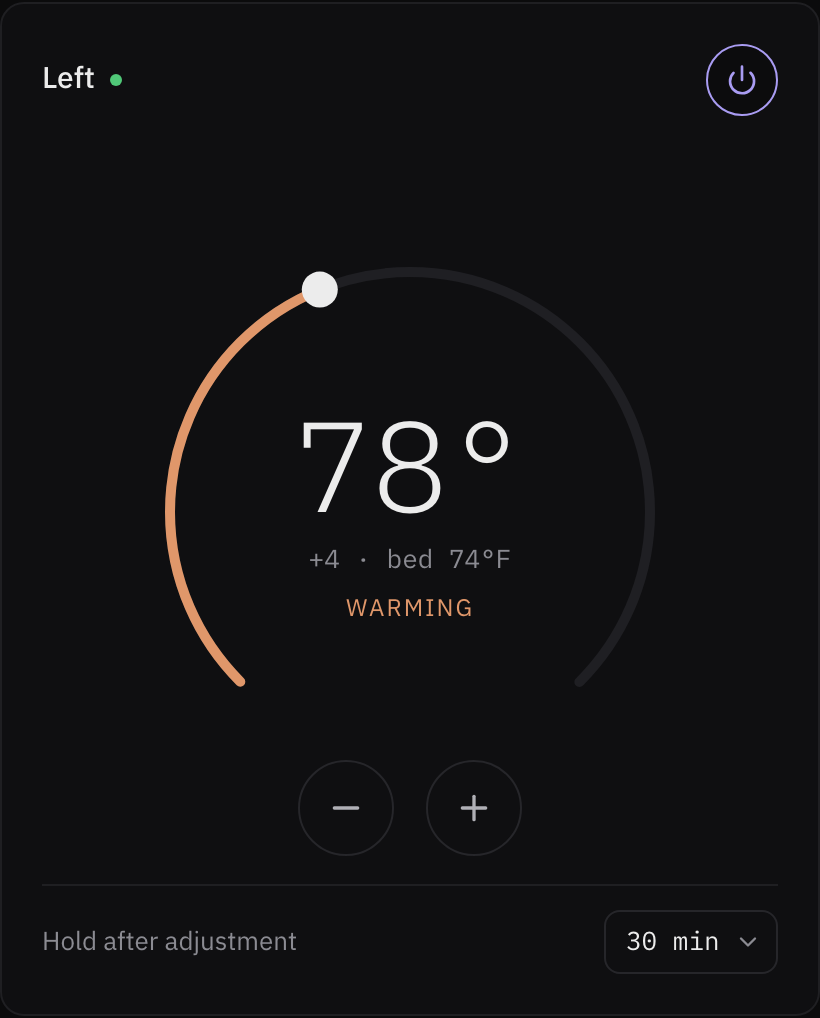
Sweep around the dial to find your temperature, or use the minus and plus buttons for a small adjustment.
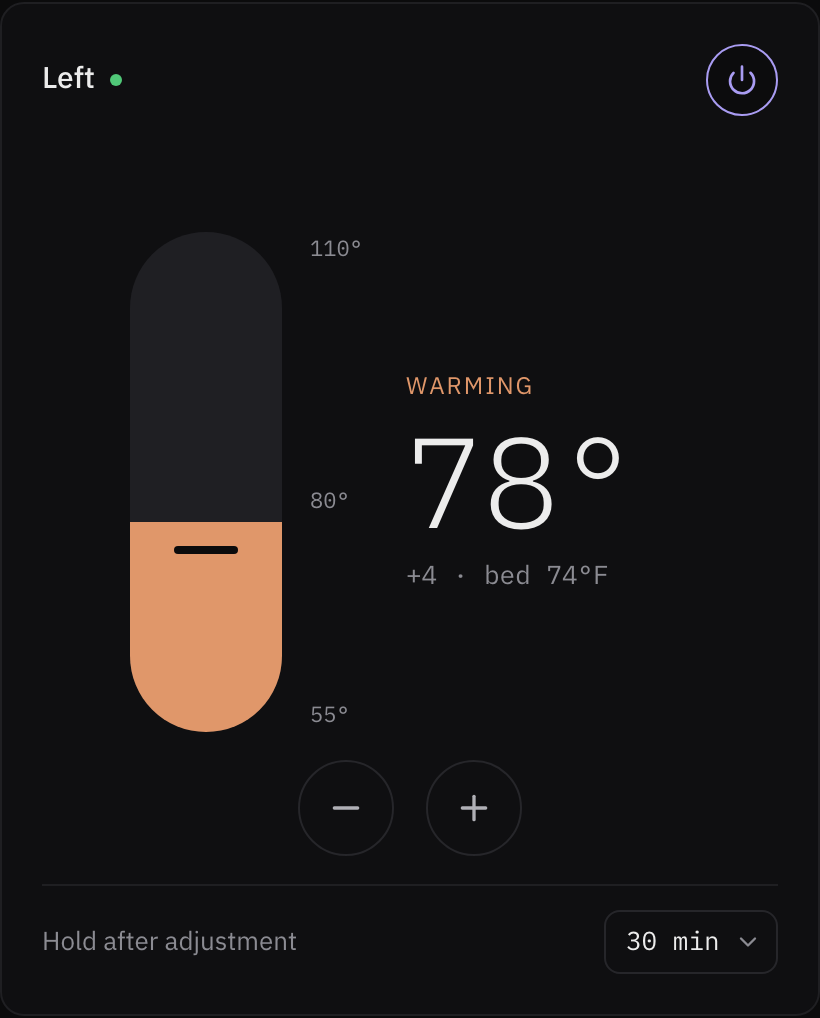
Move up to warm things up or down to cool them off. Your temperature, on a simple vertical scale.
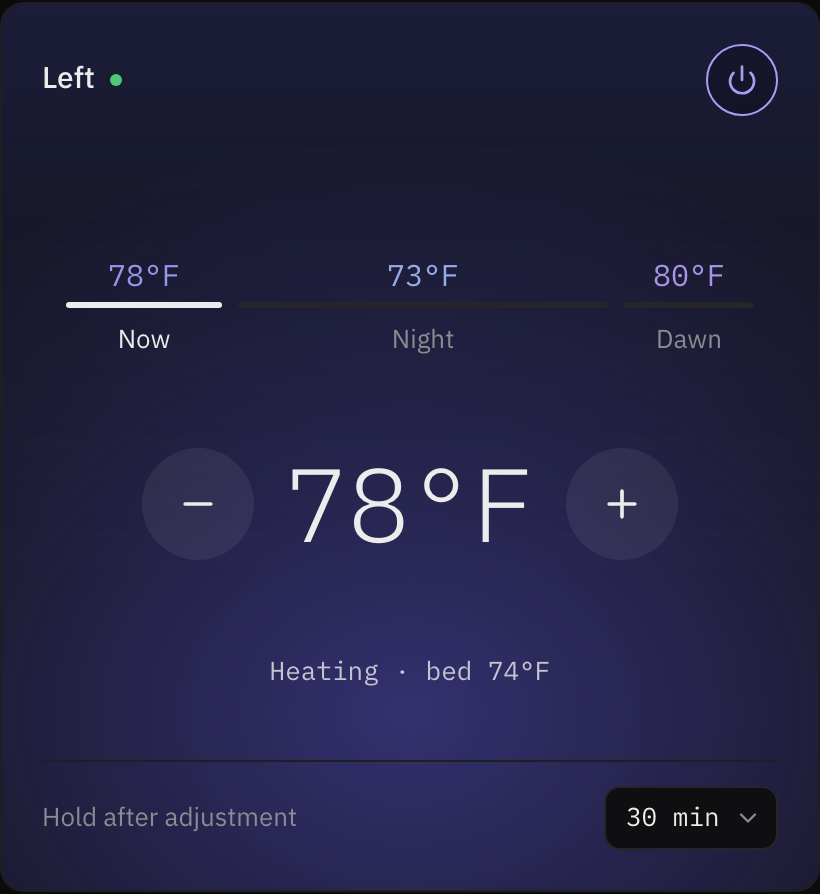
Adjust Now for immediate comfort. Switch to Night or Dawn to shape the saved schedule for later.
Real app captures · Same example temperature · Choose a style above to preview it.
A LITTLE CURIOSITY. A CLEARER PICTURE.
Follow a reading, understand a rule, and find the story in your sleep data.
01 / FOLLOW THE DATA
Your Pod’s sensors feed local processing. The results become the measurements and night records you can explore.
Follow the data flow02 / AUTOPILOT
When something happens, if your conditions match, then take an action. Start with a template and inspect what it would do.
This example records a service-log notification. It does not send a phone push.
Replay any rule against a recorded night before it touches your bed. See how backtests work
Explore Autopilot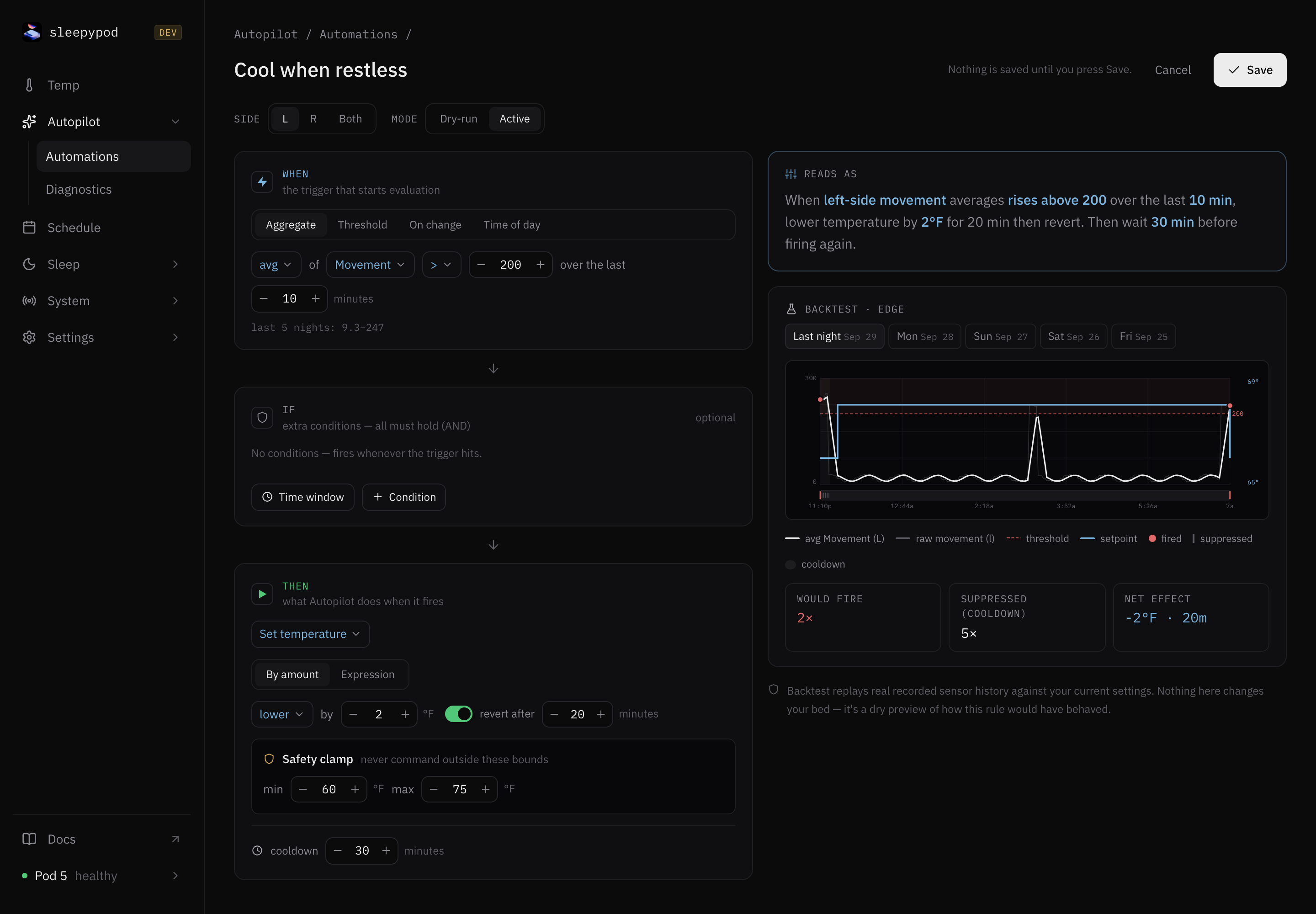
03 / BIOMETRICS
Explore sleep records, movement, and available heart-rate and breathing measurements. See what was captured—and where a reading is missing.
Availability depends on your sensors and active modules. A night record can exist without a full set of vitals.
Understand your sleep data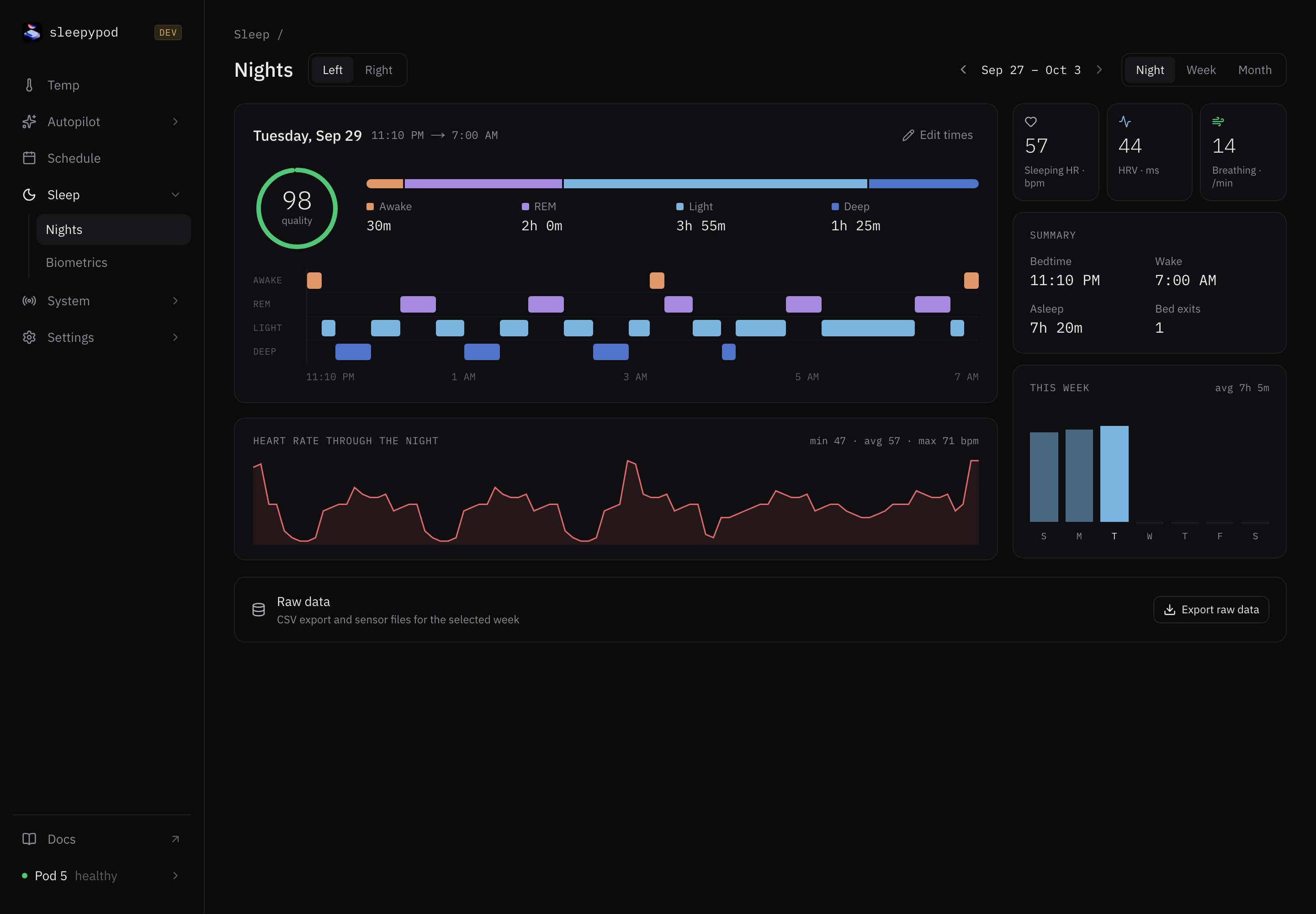
Your Pod runs the show.
Two sides. Your settings.
Built to make your own.
THREE WAYS TO FEEL AT HOME
Core does the work. Choose a client—or build your own.
The local server on your Pod. Client-agnostic APIs, a web app, schedules, biometrics, and home automation.
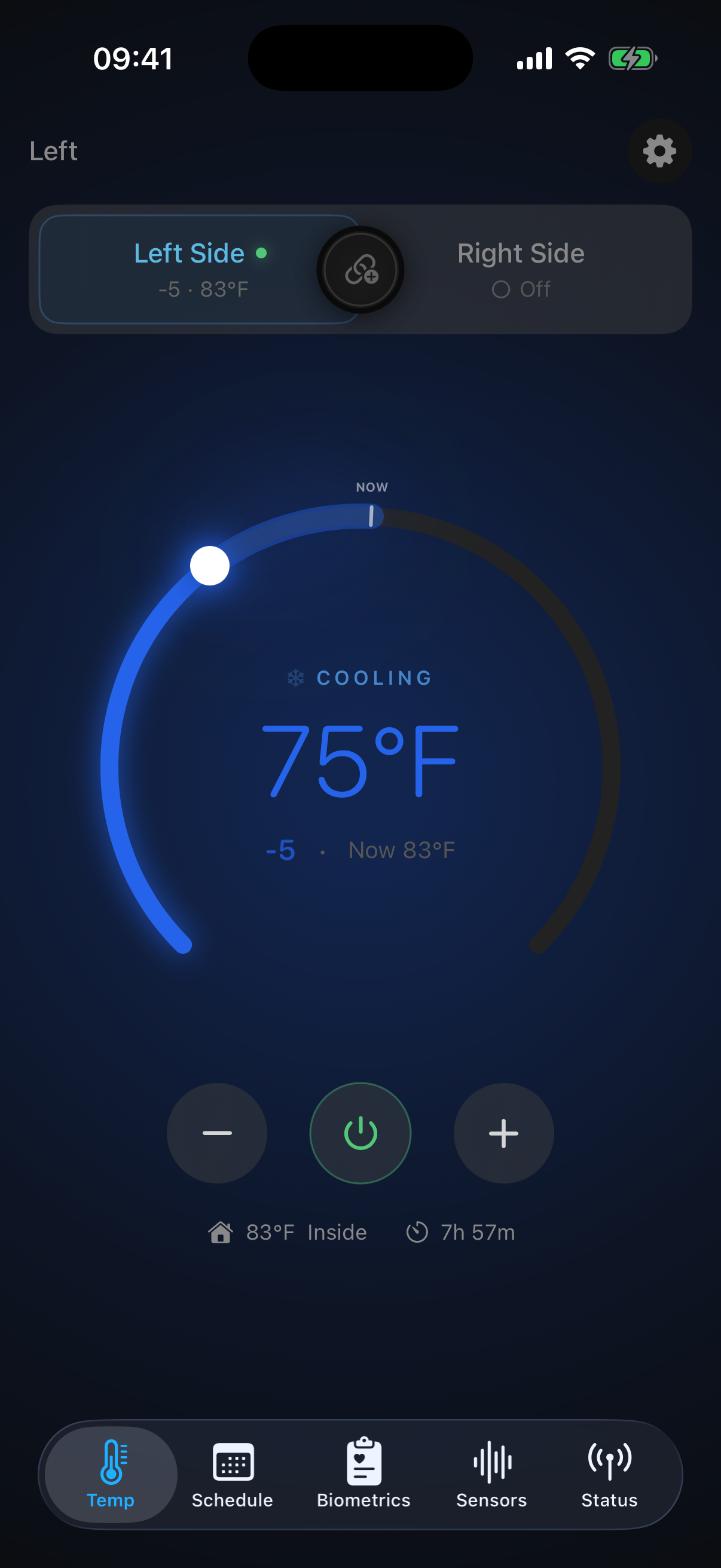
Explore Core02 — IN YOUR HANDA native companion for temperature, sleep trends, and the details of your night.
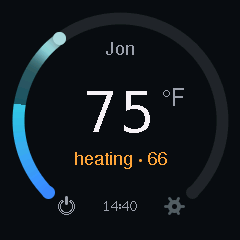
Explore the iOS app03 — AT YOUR BEDSIDEAn ESP32-based M5Stack Dial. Turn for comfort, click for off, and keep a tactile controller at your bedside.
Explore the DialAN OPEN INVITATION
Core is client-agnostic: use our apps, connect your home automation, or build your own controller on the local API. A different screen, a physical button, your own ESP project—make it yours.
A ROUTINE THAT FEELS RIGHT
Adjust either side from the web, your phone, or the bedside Dial.
Schedule temperature changes, power, and a vibration alarm.
Explore sleep sessions and sensor trends, processed on your own devices.
YOUR NEXT GOOD NIGHT STARTS HERE
Start with Core, then add the controls that fit your routine.
Find your setup