Databases
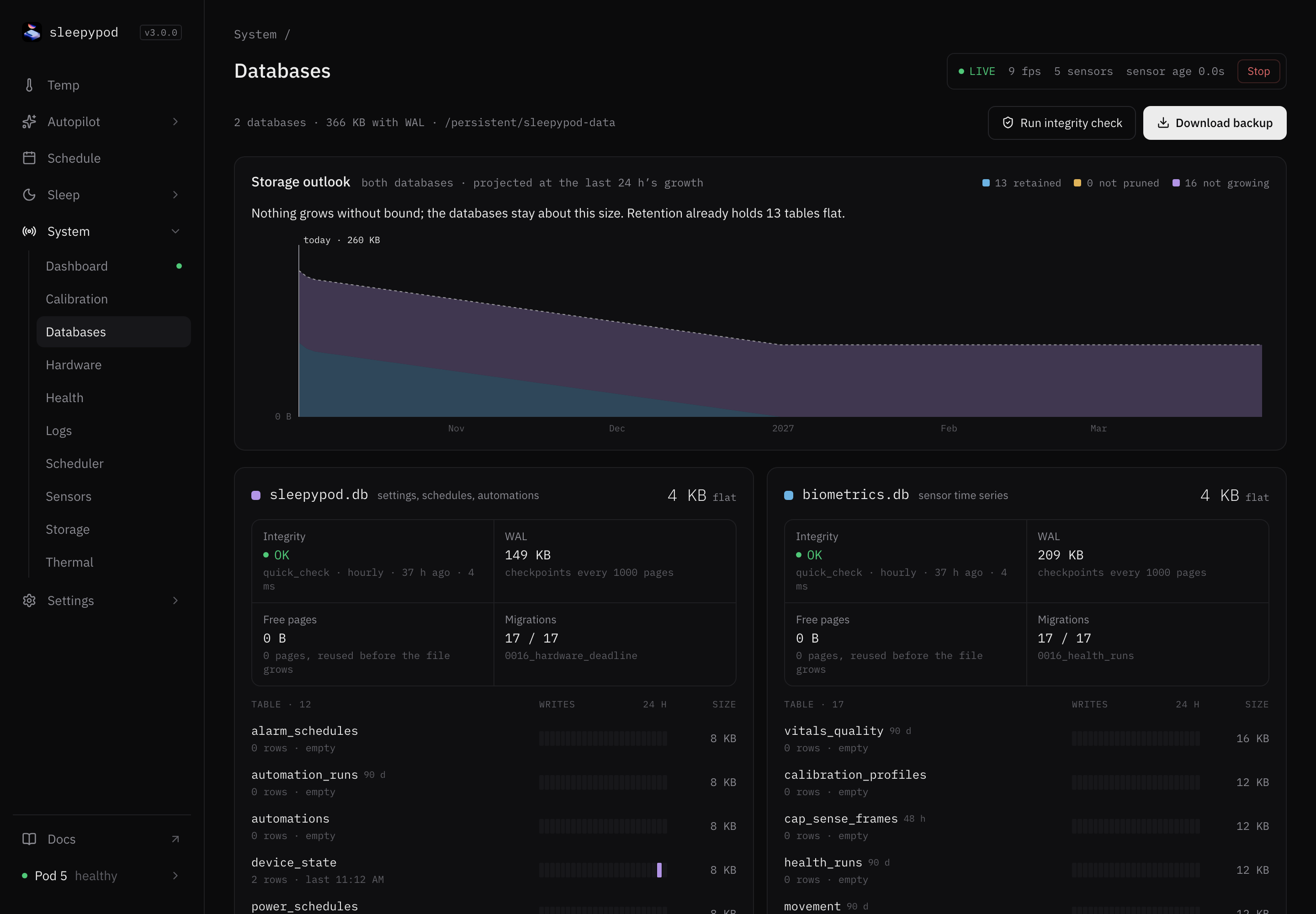
System → Databases shows the Pod’s two databases and lets you download a complete backup. Nothing on this page changes your data.
| Database | Holds |
|---|---|
sleepypod.db | Settings, schedules, automations, and state |
biometrics.db | Sensor time series, vitals, and sleep records |
Download a full backup
Select Download backup. The Pod copies both databases while it keeps running and your browser downloads the result. The header shows when you last downloaded one.
This is the backup to keep before an update, a reinstall, or recovery work, because it includes your settings and schedules. The nightly Backup does not. The file contains your sleep history, so store it somewhere private.
Restoring is a maintenance task: stop everything that writes to the databases, then replace the files in the data directory. Follow the installation guide for your version. Never delete databases to “fix” a problem.
Read the page
- Storage outlook projects how big the databases will get, based on the last 24 hours. Tables are marked retained (old rows are pruned), not pruned (they keep growing), or not growing.
- Each database card shows:
- Integrity: the result of the hourly check. Select Run integrity check to run one now.
- WAL: the size of the write-ahead log, which is folded back into the database regularly.
- Free pages: space inside the file that will be reused.
- Migrations: schema version, applied of known.
- A table list with row counts, a 24-hour write strip, and size.
- Rows lets you browse any table read-only. Pick a table, filter by
column = value, and page through. Copy CSV copies what you see.
Source reference: Databases tab · Databases API