Storage
System → Storage shows what is using the Pod’s storage, /persistent, and lets you delete leftover files.
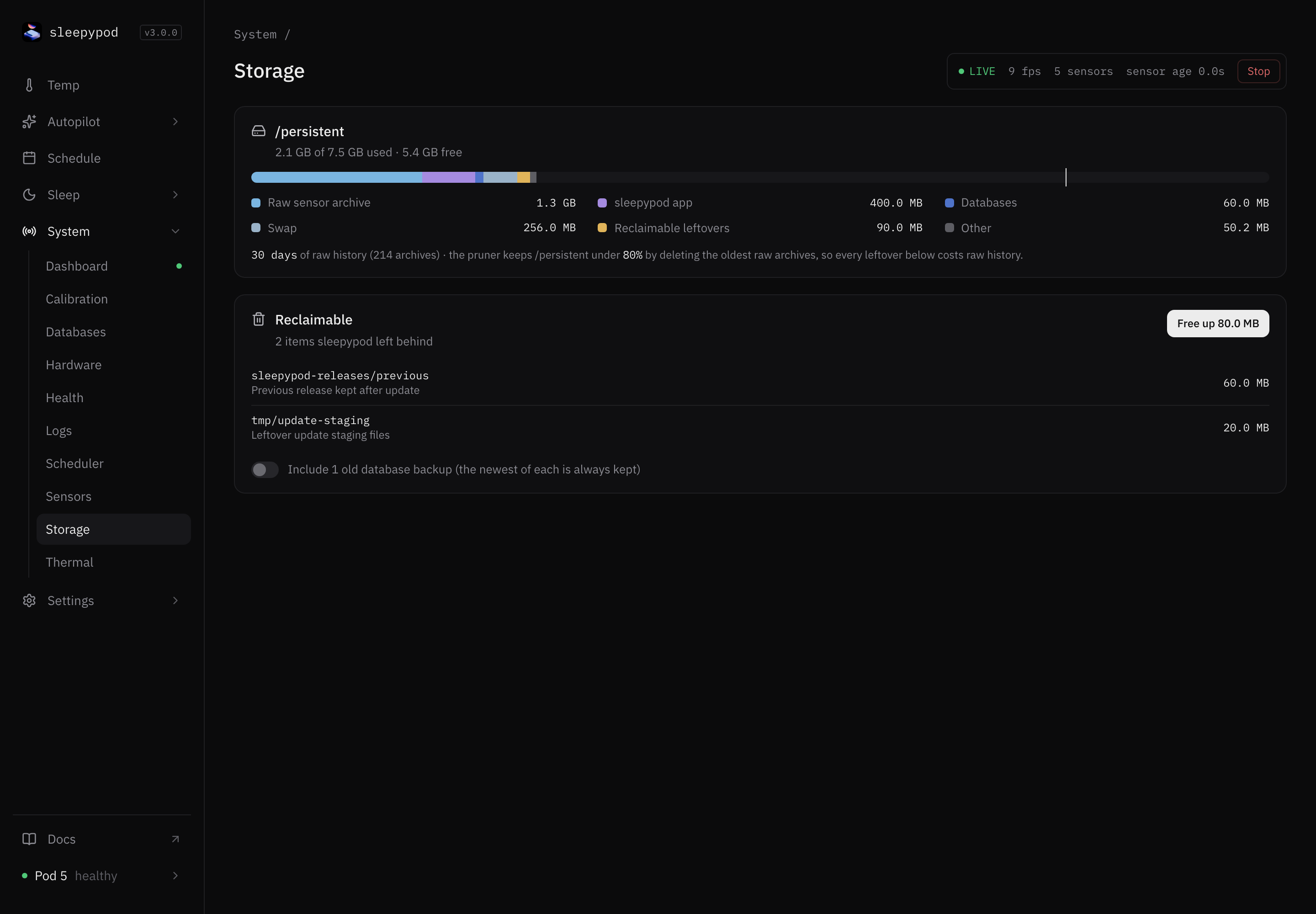
What uses space
The bar splits used space into Raw sensor archive, sleepypod app, Databases, Swap, Reclaimable leftovers, and Other. The line under it says how many days of raw sensor history are kept.
The Pod keeps /persistent under a limit (80%, shown by the marker on the bar) by deleting the oldest raw archives. So every leftover file costs you raw history.
Free up space
Reclaimable lists files Core left behind, such as a previous release kept after an update or leftover update files.
- Review the list.
- To also remove older database backups, turn on Include N old database backups. The newest backup of each database is always kept.
- Select Free up and confirm with Delete.
Deleted files cannot be recovered. The running app, live databases, raw archive, swap, and HomeKit pairing are never touched.
Over SSH, sp-storage-cleanup --dry-run --json shows the same list without deleting anything. If the page says the cleanup tool is not installed, update Core.
Source reference: Storage tab · Storage report · Operations tools